Triggered by uptime alerts
Watchdog can respond when Uptime Monitor signals that a service is down, degraded, or crossing a configured threshold.

Watchdog response
Watchdog connects monitoring signals, inbound webhooks, cooldown timers, and configured bandwidth responses so teams can act quickly without creating noisy bounce behavior.
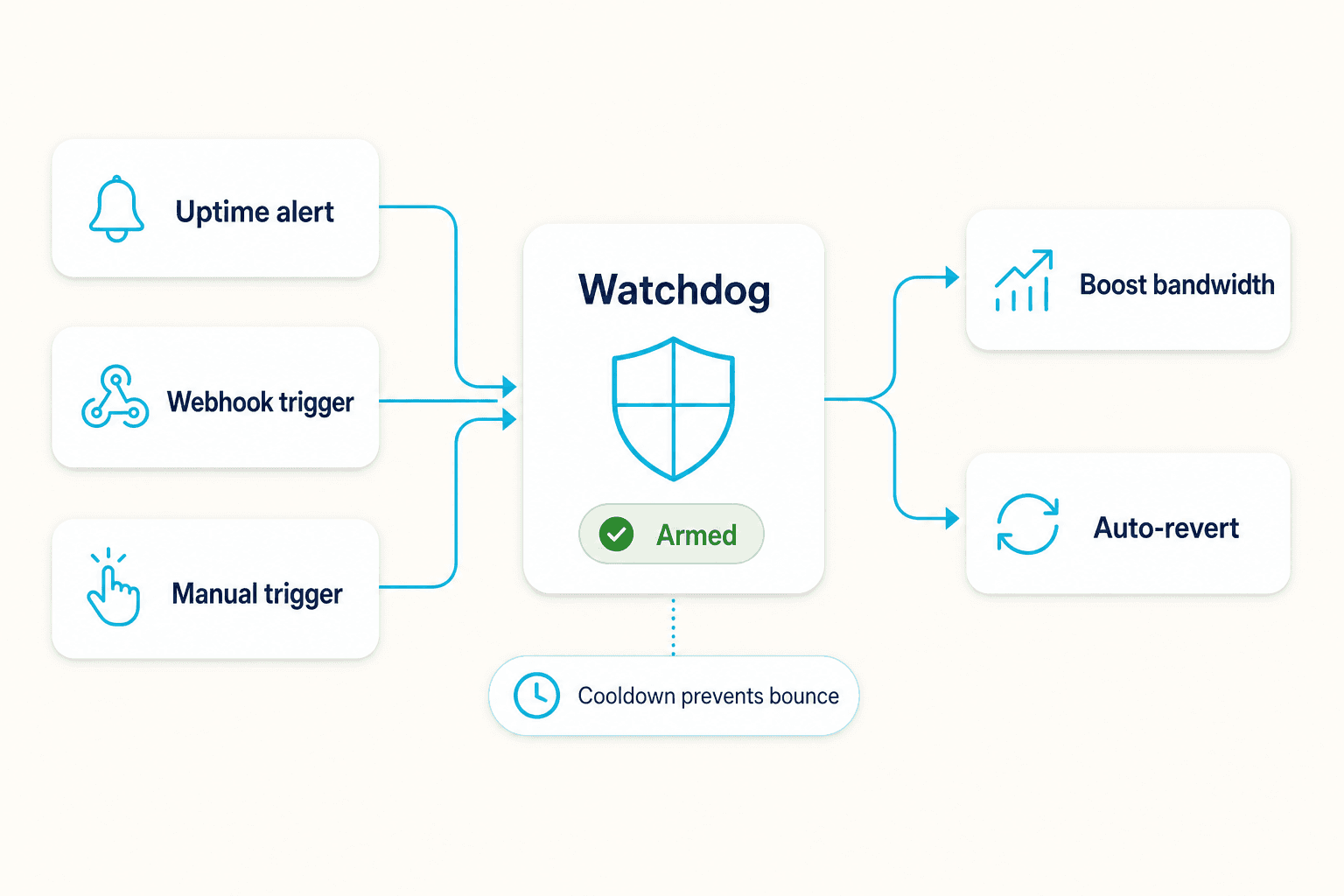
Watchdog can respond when Uptime Monitor signals that a service is down, degraded, or crossing a configured threshold.
Cooldowns and stable-state timers help prevent repeated up/down flapping from creating noisy or conflicting responses.
Response rules can apply a configured bandwidth change when a service is down, then revert it automatically once the primary service recovers.
Trigger response paths
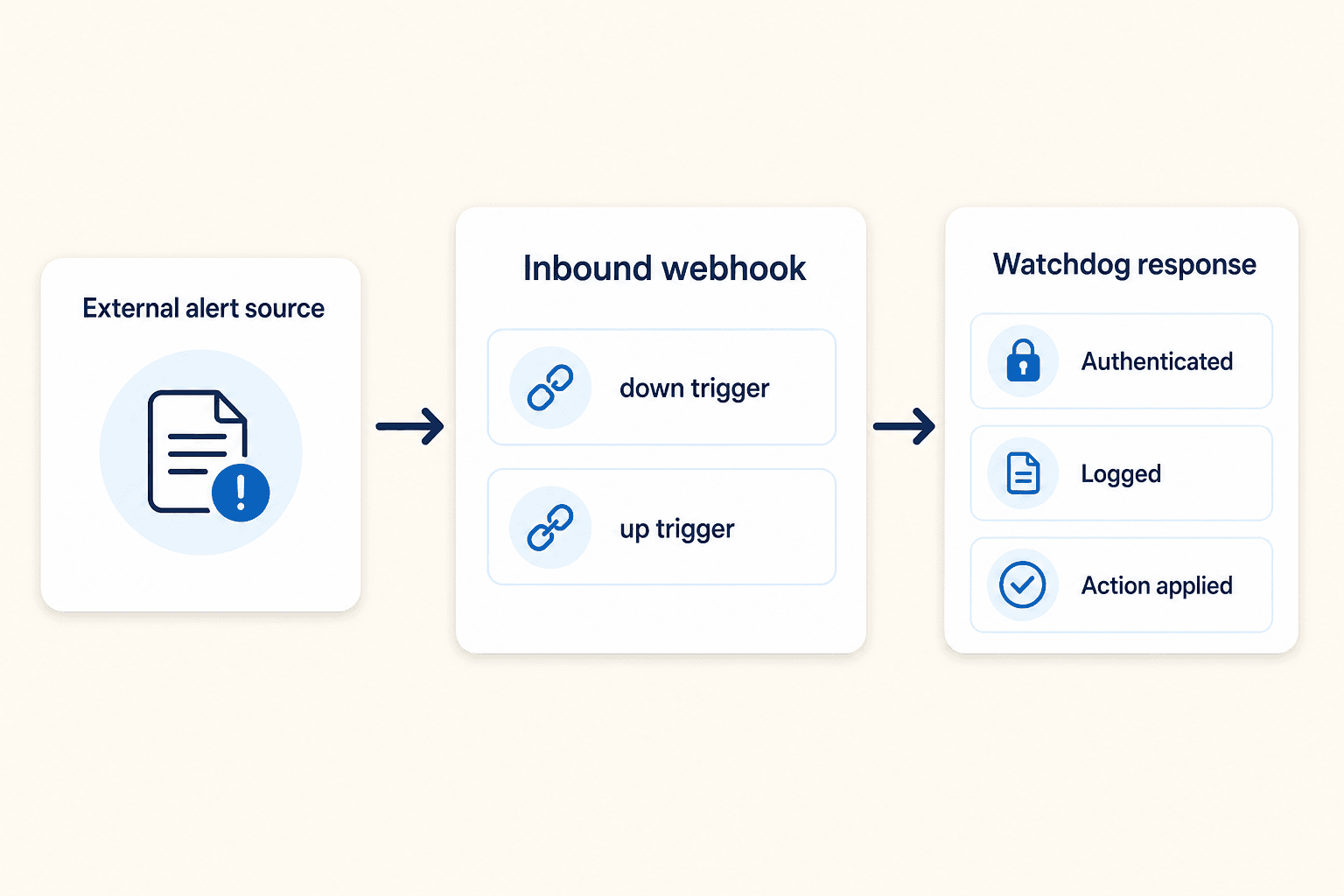
Custom inbound webhook URLs can receive status changes from outside monitoring systems, log the trigger, run the configured response, and revert it after recovery.
Ready to automate response?
Share your alert sources, cooldown needs, and response rules so we can map the right Watchdog flow.