Provisioned IoD speed
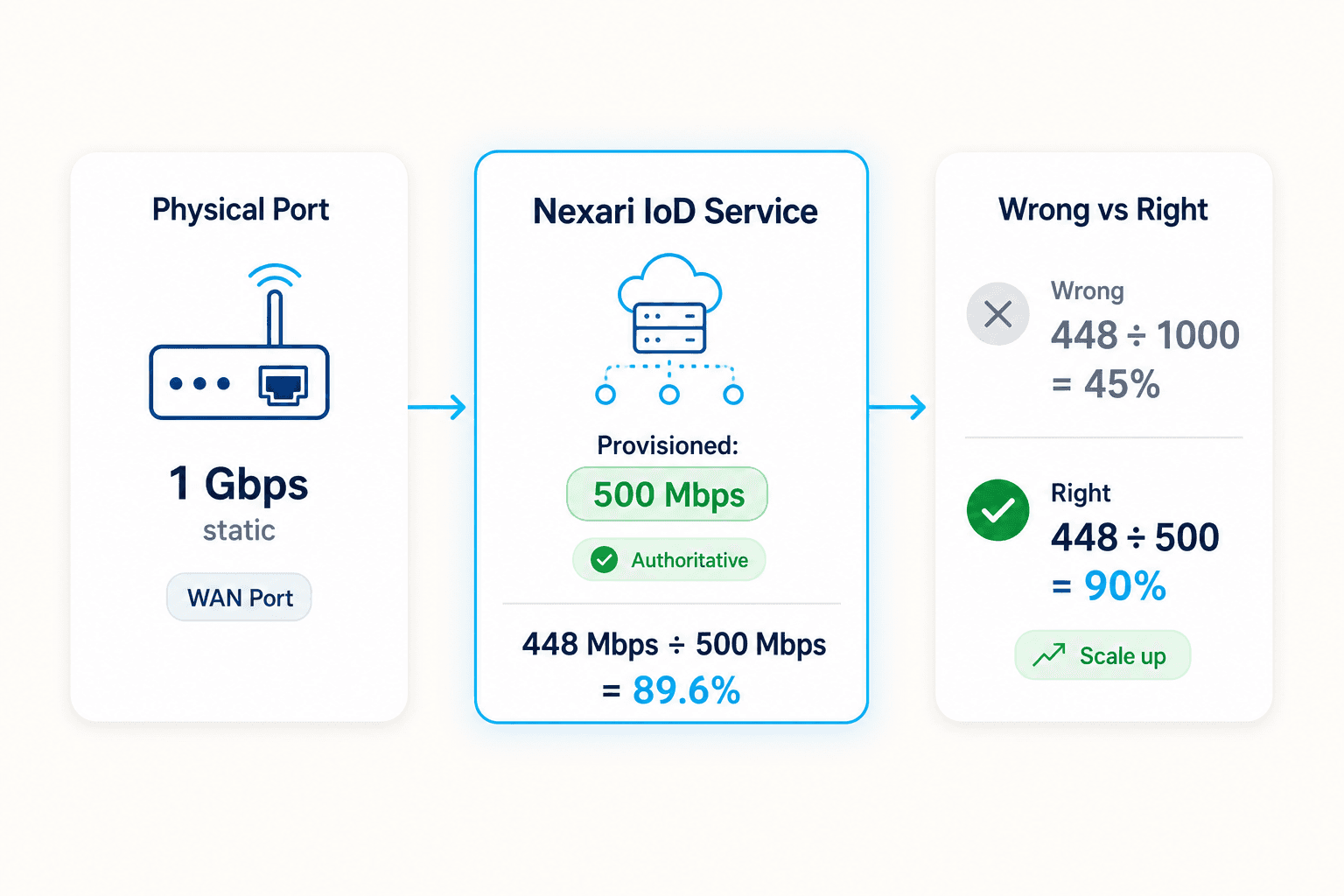
Nexari compares WAN traffic to the speed on the Internet on Demand service, not the 1 Gbps or 10 Gbps port label on the router.

Fully Automated Bandwidth Management
Send WAN Mbps readings to Nexari, compare them to the provisioned speed on each Internet on Demand service, and let the platform step through your tier ladder when usage stays high or low long enough to matter.
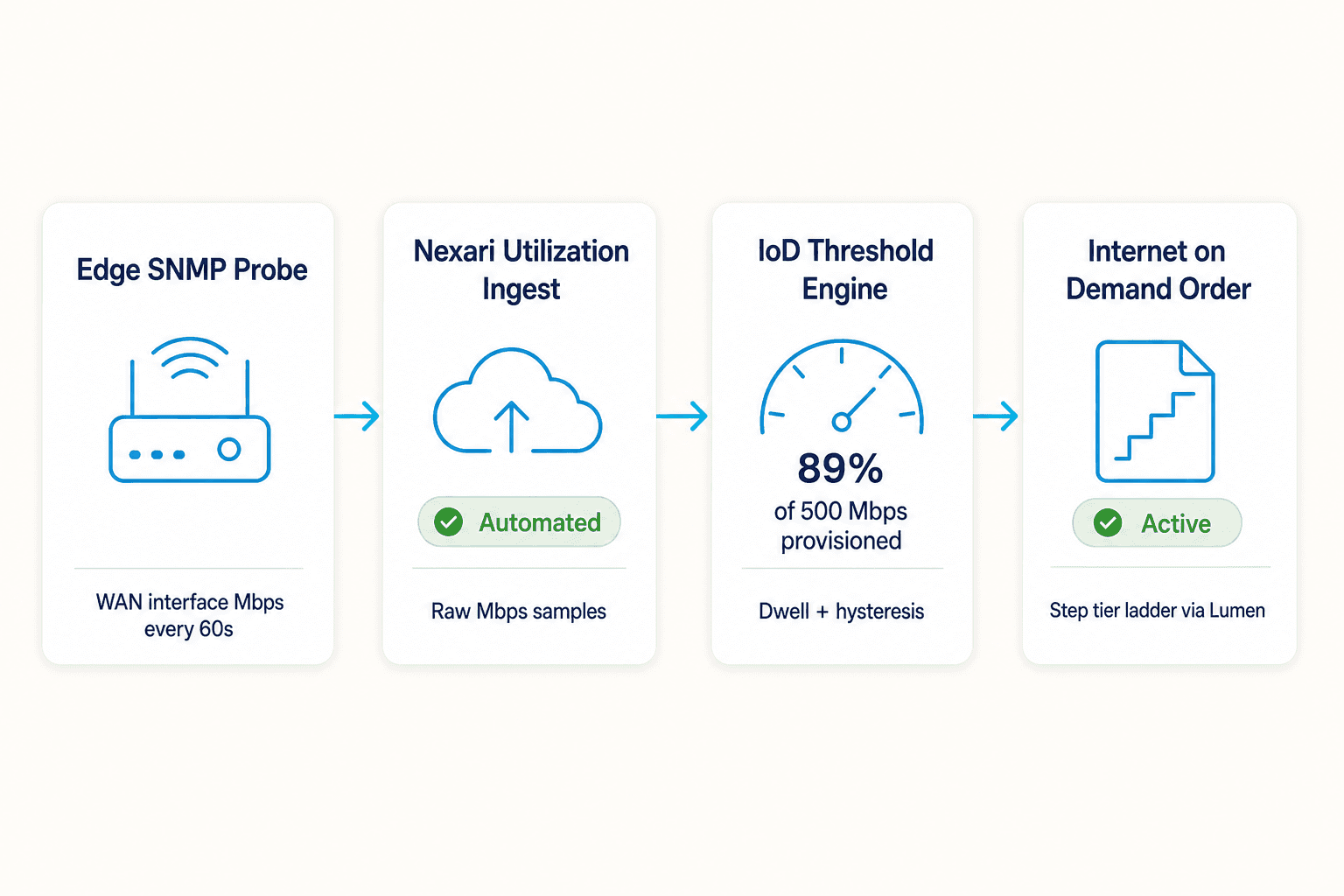
Nexari compares WAN traffic to the speed on the Internet on Demand service, not the 1 Gbps or 10 Gbps port label on the router.
SNMP probes or your existing monitoring tools send Mbps readings to Nexari on a set interval.
When utilization stays above or below your thresholds, Nexari moves to the next approved speed and submits the Lumen order.
Use provisioned speed
Most SNMP tools divide by physical port speed. Nexari uses the Internet on Demand speed from your synced service inventory, so the math stays correct after each tier change.
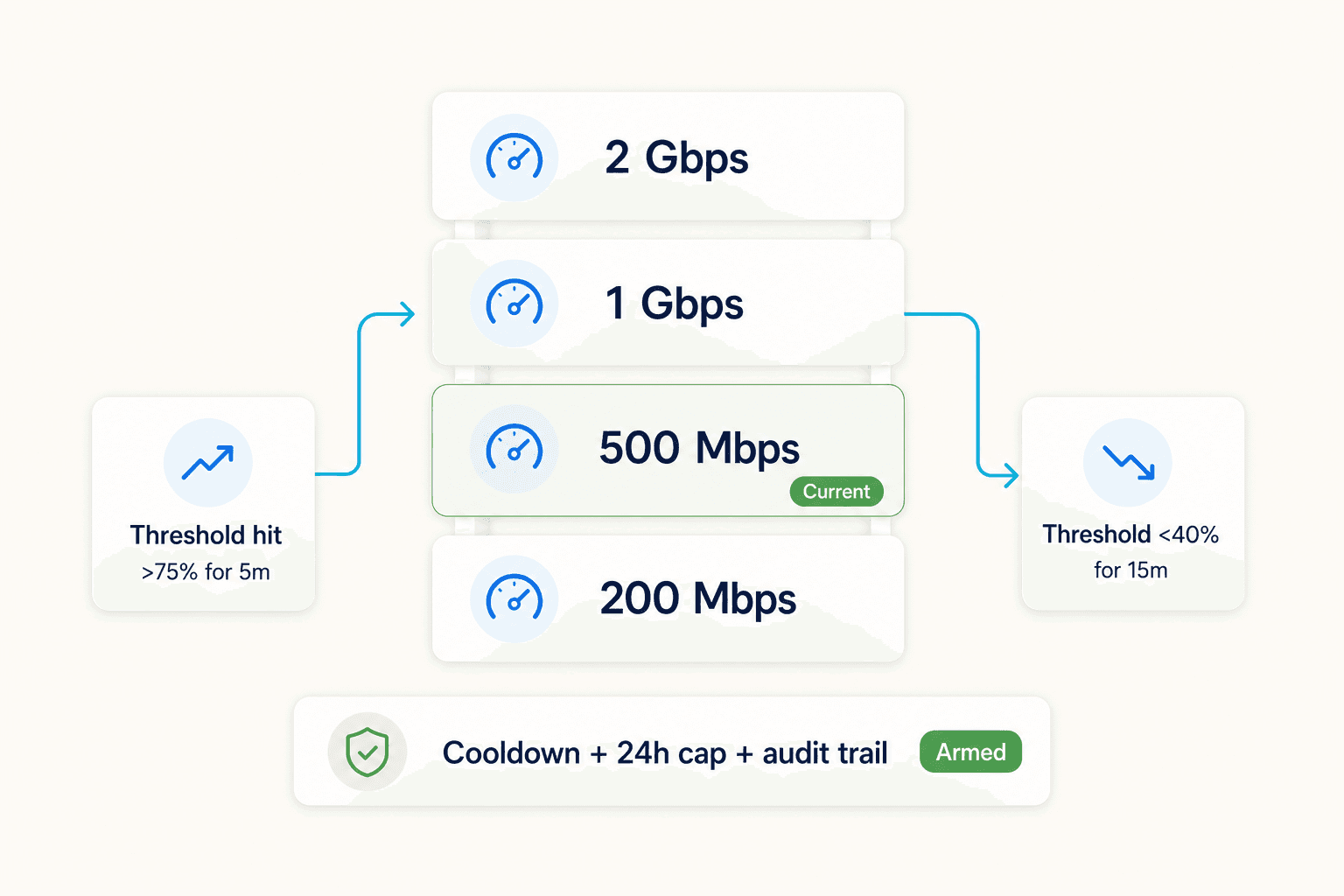
Tier ladder
You define the tier ladder, high and low thresholds, and how long usage needs to stay there. Nexari applies cooldowns, daily bump limits, and the same Lumen order workflow used for manual changes.
Compatible probe sources
If your tool can poll WAN counters and send Mbps samples on a schedule, it can feed this workflow. Nexari runs the threshold logic.
Ready to automate?
We can review your WAN setup, tier ladder, SNMP tooling, and Internet on Demand services and show how utilization ingest would fit.
Book a demo